
Dentrix Dental Technology
The innovative dental software designed to make your practice more profitable.
Request DemoDentrix Dental Software
More than 35,000 dental practices rely on Dentrix® practice management software. Dentrix leads the dental software market by providing solutions for both the clinical and business sides of your practice. Plus, Dentrix helps you build your practice with integrated eServices — innovative dental software that adds new capabilities to your system — and "Dentrix Connected" products from top dental technology companies. You can equip your practice with Dentrix dental software now and enrich it for years to come with our growing network of partner products.
Dentrix Overview:
One Connected Platform
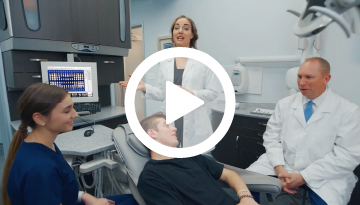
What Dentrix Can Do For You
Dentrix software gives you unparalleled dental technology built specifically to improve your dental practice management. With industry-leading business, clinical and front office tools, including electronic prescriptions, electronic insurance claims, monthly business metrics, mobile computing, third-party products and more, our dental technology enables you and your team to improve patient care while growing your business.
Expand Your Care with Dentrix Smart Image
Dentrix Smart Image expands your ability to provide quality care by connecting your clinical and financial process into one efficient workflow. When you acquire diagnostic images, Smart Image automatically associates them with the correct CDT codes for accurate billing, and displays them in the patient chart. Now the patient’s 2D and 3D images can be accessed without leaving Dentrix. Connecting the CDT codes with the images saves you time from manual entry and helps you get paid for the procedures you perform.
Learn MoreDental Technology That Gets More Done in Less Time
Dentrix eServices™ boost your front office productivity with an integrated suite of software tools that allow your team to get more done in less time. Time-consuming tasks such as submitting insurance claims, sending appointment reminders, processing payments and updating patient records can be accomplished in less time with greater accuracy—without leaving Dentrix.
Start Saving Time NowManage the Business Side of Your Practice
Dentrix Practice Advisor gives your practice a monthly financial-health checkup and creates easy-to-read reports that show your practice’s strengths, weaknesses and opportunities at a glance. You can easily track progress by comparing your current performance to previous monthly and year-to-date numbers. You can also create a Daily Huddle Report to keep your team focused on the daily tasks that impact both patient care and practice profitability.
Manage Your Practice Like a ProTrust 'Dentrix Connected' Products
Dentrix Integrated Partners build Dentrix-friendly versions of their products that you can trust to work well with your dental office computer programs.
 Get Connected

Call Us Today!
800.336.8749

Solutions for Your Practice
Dentrix and our network of partners provide solutions to help you run your business as well as your practice.



 Contact Us
 Phone:
  Email
Email Request Demo